Switch the layout preset for a ChordPro text page while editing or viewing the score.
ChordPro Layout
If chords are hard to follow while reading the lyrics, compare the same chart in the PagePilot and ChordWiki layouts. Neither the words nor the chords change. If you can already read the lyrics and chords comfortably, you do not need to switch.
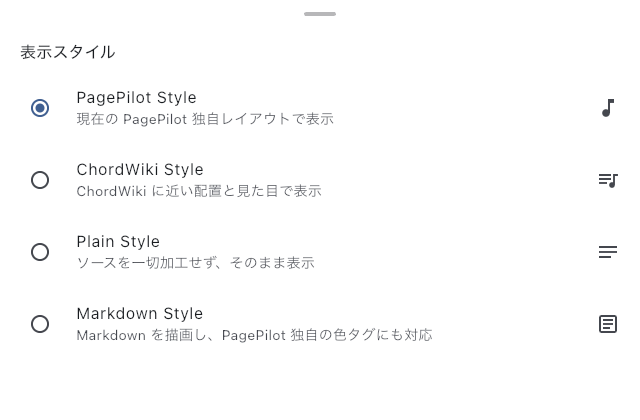
Compare a Verse and Choose
Open the layout preset chooser from the ChordPro editor or the Score Viewer. In the editor, you can also choose it through Adjust display in Preview.
PagePilot is the initial default. Try ChordWiki if you are used to that arrangement or want to check chord positions in another layout. Selecting a preset closes the chooser. Check a long lyric line and a passage with several chords. If they are harder to read, reopen the chooser and select your previous preset.
This choice is saved to the shared ChordPro display setting. It is not a trial limited to the current song. Other ChordPro songs using the shared setting also change. A layout preset specified in an individual setlist item's display settings takes precedence.
For a different layout on just one entry in this setlist, use the display settings in Item Settings. To adjust text size and margins too, open Adjust display in the Text Page Editor Preview.
If the Layout Does Not Change
First check that the text page format is ChordPro. These presets do not apply to Markdown, Plain Text, or Fumen. If a ChordPro song in a setlist does not change, check whether that item's display settings specify a different layout preset.
See Text Page Settings for shared settings, or Text Page Editor for changing the chords and lyrics.