Choose the audio and timeline to use when you open a score directly from the library.
Play with Audio
Play with Audio
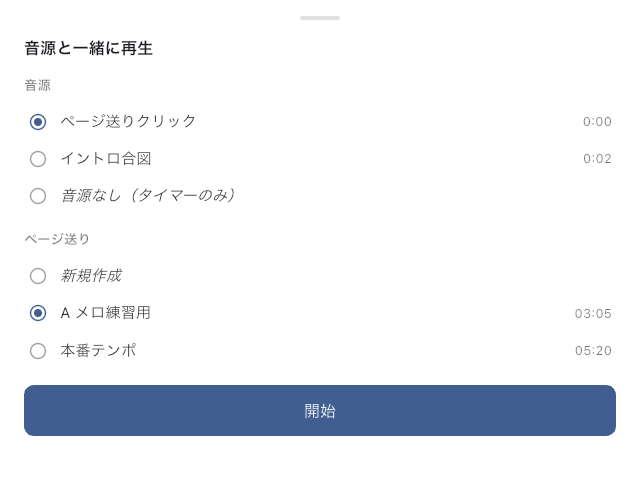
Use this sheet when you open a score directly from the library and want to play it with a specific audio file or timeline. Before playback begins, you can choose the combination you want for this viewing session. To make audio and timeline links permanent for a setlist song, configure them in Item Settings.
What You Can Do Here
- Choose which audio to use (timer-only playback with no audio is also available)
- Choose which timeline to use
- Start with the intent to create a new timeline
When to Use It
Use it when the same score has multiple reference recordings, or when you want to try a rehearsal timeline instead of the show timeline. If you only want to read the score, choose timer-only playback with no audio.
For songs opened from a setlist, the viewer normally uses the audio and timeline linked to that song. If you want a change to become that song's normal setup, make it in Item Settings instead of this sheet.
If You Get Stuck
- If no audio or timeline options appear, there may not be any usable candidates yet. Add audio or a timeline, then open the sheet again.
- If only one option is listed and you cannot switch, that single candidate is used automatically.
Related Screens
- Link audio and timeline to a song in Item Settings.
- For the playback screen itself, see Score Viewer.